
Everything your agency needs
From first enquiry to final invoice — Sparky Invoices runs the whole trip.
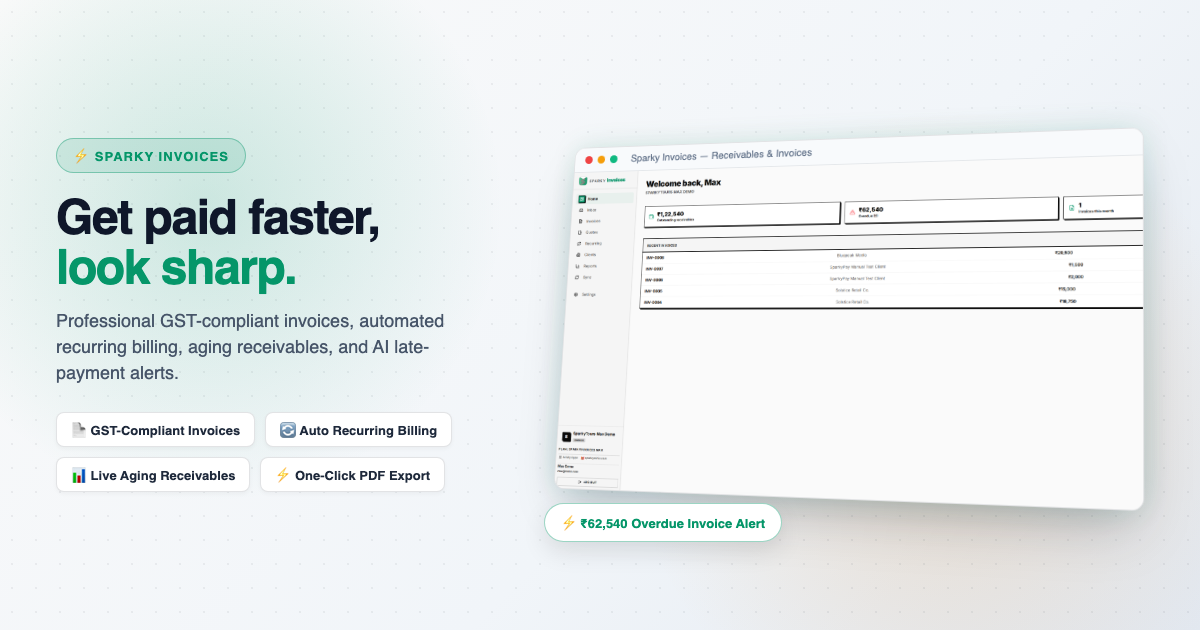
Invoicing
Invoices
Draft, send, and track invoices through their full lifecycle — draft, sent, paid, void — with line items, tax rates, and partial or full payments recorded against each one.
Clients
A lightweight client directory — free on every plan, including solo Lite.
GST-Compliant Invoicing
HSN/SAC codes and a GSTIN snapshot on every invoice, formatted for Indian tax compliance.
Plus and Max
Quotes
Price a job as a quote with line items, share it by link, WhatsApp or your own email app, record whether it was accepted, and turn an accepted quote into an invoice in one click.
Send Quotes by Email
Email a quote to your client straight from Sparky, without leaving the page.
Plus and Max
Print-Ready Invoices
A full letterhead document — your business details, bill-to, line items, totals — ready to print or save straight from the browser.
Learn more ›
Every invoice renders as a clean, branded document with your own business name, address, and registration details on it, not just a data table. View it any time and print or save a copy for your client — no separate PDF tool needed.
Recurring Invoices
A template that generates a real invoice on a monthly or quarterly schedule, or on demand with Run Now.
Lite 1 · Plus 10 · Max 50
Learn more ›
Turn on Auto-approve & send and a due template generates the invoice, marks it sent and emails your client — no one has to click anything. Leave it off and it waits as a draft for you to review first.
Getting Paid
Online Payments
Let clients pay an invoice online through your own Razorpay account Money settles straight to you, the payment is recorded once Razorpay confirms it, and the client gets a receipt.
Every plan
Learn more ›
Enter your Razorpay keys in Settings and test them in test mode first. Each payment is checked against Razorpay's signature before it is recorded, and a payment can never be recorded twice. A client can pay part now and the rest later.
Dunning Reminders
Overdue invoices are chased automatically until they are paid, and you can turn it off.
Plus and Max
Credit & Debit Notes
Correct a sent invoice with a credit or debit note that references it, and cancelling a booking settles its invoice with a credit note.
Tax Collected at Source
For overseas travel packages, the collected-at-source amount is worked out from your rate and threshold, and listed in a register by the buyer's tax ID.
Numbering & Financial Years
Your own invoice prefix, next number and padding, with the count restarting each financial year.
Lists, Import & Export
Sort, filter and page every list, import from CSV, and export any time — your data, portable.
AI
AI Reminder Drafts
Draft a ready-to-send overdue-payment reminder email per invoice — reviewed by you before sending.
Plus and Max
AI Payment Risk
Scans recent invoice/payment history per client to flag credit risk — a pattern of late payments or a large outstanding balance — Max.
SparkyIQ
A conversational assistant that can answer questions about your own data — coming soon.
Platform
Sync & Cross-Product Billing
Pull a baseline of clients from Sparky Contacts, and pull unbilled billable time from Sparky Projects or billable expenses from Sparky Expenses straight in as invoice line items.
Every plan
Learn more ›
No re-keying hours or receipts into an invoice by hand: a pulled item is marked billed at the source the moment it lands on your invoice, so it can never be billed twice.
Reports
Revenue, outstanding balances, and payment trends.
Max plan
Team & Roles
Invite teammates and assign roles.
Lite 1 · Plus 5 · Max 25
Inbox
Every conversation — contact and support forms — arrives as a ticket you can reply to, right inside the app.
Multi-Currency
Invoice in whatever currency your client pays in — reports still roll everything up to your organization's base currency.
Everything, by plan
22 capabilities. 13 on every plan, even the free one.
Paid plans add more and raise the limits. Nothing here is a demo: it is the list our plans are built from.
- Credit & Debit Notes
Correct a sent invoice with a note that references it.
- CSV Import & Export
Import from CSV and export your data any time.
- Custom Numbering
Your own prefix, next number and padding, restarting each financial year if you like.
- Built-in Inbox
Contact and support messages arrive as tickets you can reply to inside the app.
- Manage Clients
Lightweight client directory to bill against. Free on every tier, including solo Lite.
- Manage Invoices
Create, edit and void invoices, and export them to PDF.
- Multi-Currency Invoicing
Invoice in the currency your client pays in; reports roll up to your base currency.
- Online Payment Collection
Let clients pay an invoice online through your own Razorpay account. Money settles straight to you and the payment is recorded once Razorpay confirms it.
- Print-Ready Invoices
A full branded letterhead document, ready to print or save from your browser.
- Quotes
Price a job with line items, share it, record whether it was accepted and turn it into an invoice.
- Recurring Invoices
Set a template and a schedule (monthly, quarterly or annual) and future invoices are created for you. Turn on auto-approve and send and they go out without a click. The number of templates is capped per plan, below.
- Sync Clients / Pull Billable Line Items
Pull a baseline of clients from SparkyContacts, and pull billable time entries from SparkyProjects as invoice line items. Free on every plan.
- Tax Collected at Source
Worked out from your rate and threshold, with a register by buyer tax ID.
- AI Reminder Drafts Plus and Max
Draft a ready-to-send overdue-payment reminder for any invoice. You always review it before it is sent.
- Overdue Payment Reminders Plus and Max
Automatic email reminders for overdue invoices, at an interval you choose. You turn them on in Settings.
- GST-Compliant Invoicing Plus and Max
Invoices presented in the GST-compliant layout, with your GSTIN and HSN/SAC codes.
- Manage Team Plus and Max
Invite teammates and give them roles. Lite is solo, with one seat.
- Reports Max plan
Aging receivables and revenue-by-period/client reporting.
- Send Quotes by Email Plus and Max
Email a quote to your client straight from Sparky. Copy link, WhatsApp and opening it in your own email app are free on every plan, and invoices can be emailed from Sparky on any plan.
- Max Invoices per Month Lite 5 · Plus 100 · Max 200
Invoices you can create per calendar month. The count resets on the 1st.
- Recurring Invoice Templates Lite 1 · Plus 10 · Max 50
How many recurring invoice templates an organisation can have at once, across all clients.
- Max Seats Lite 1 · Plus 5 · Max 25
Maximum active org members. Lite is solo (1) — same shape as SparkyTours'/SparkyProjects' Lite.